
Guide
That's how easy it is
Every step with a picture. The red numbers show exactly where to click.
Join a table in 4 steps
Find a table
Under Free tables or Tournaments you see where people play. In the HUD use “Find tables”.
Lounge-Tisch
Moonlight Bay · Moonlight Lounge
Confirm the teleport
Your viewer asks once. One click and you are at the table.
Teleport to Moonlight Bay?
Sit down and wear the HUD
Click a free chair. The table gives you the HUD: “Keep”, then in your inventory right-click → “Wear”.
wants to give you “Ronin Hold'em HUD”.
Play
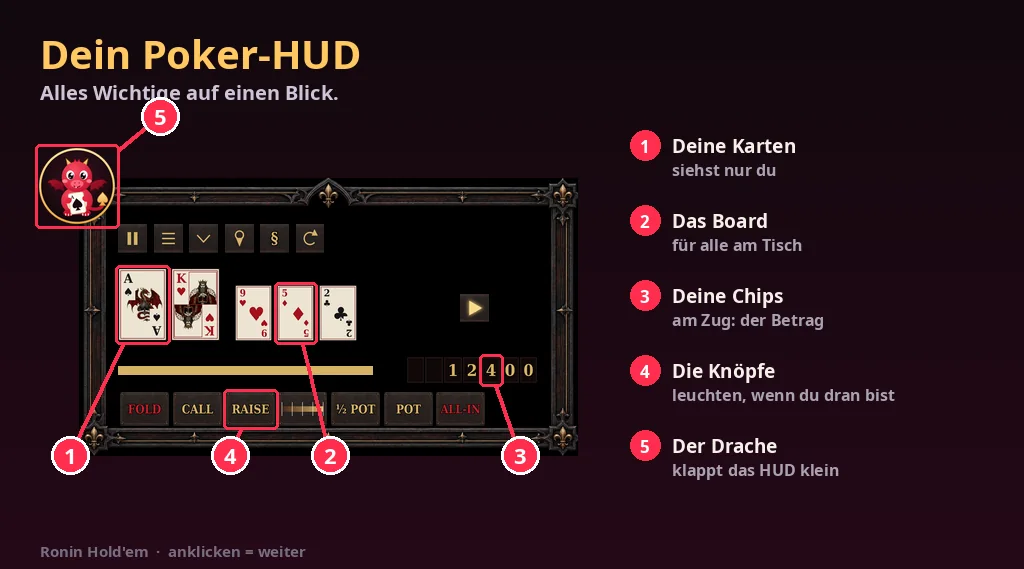
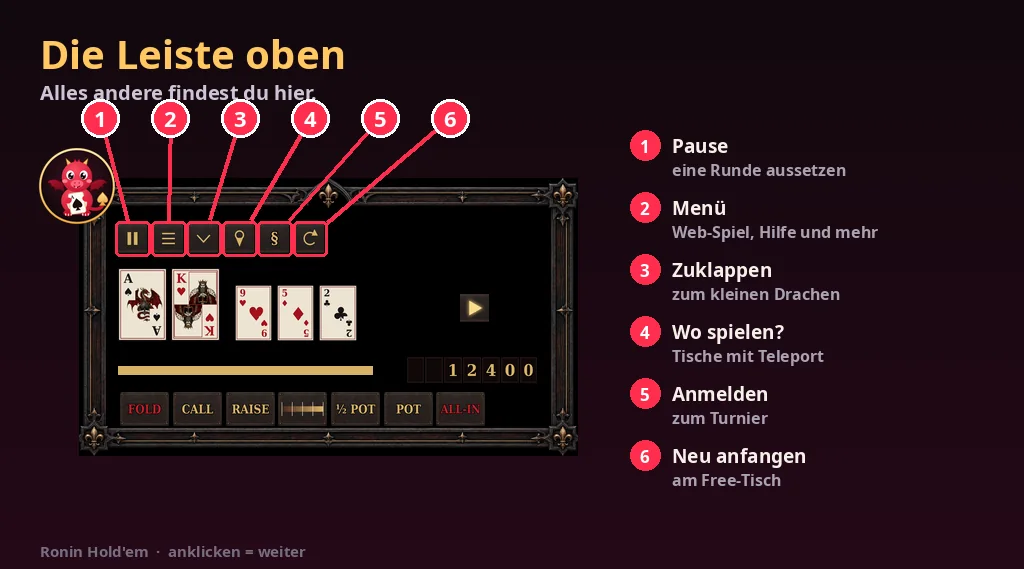
The first time you wear it, the HUD explains everything in four pictures. When it is your turn, the buttons light up.
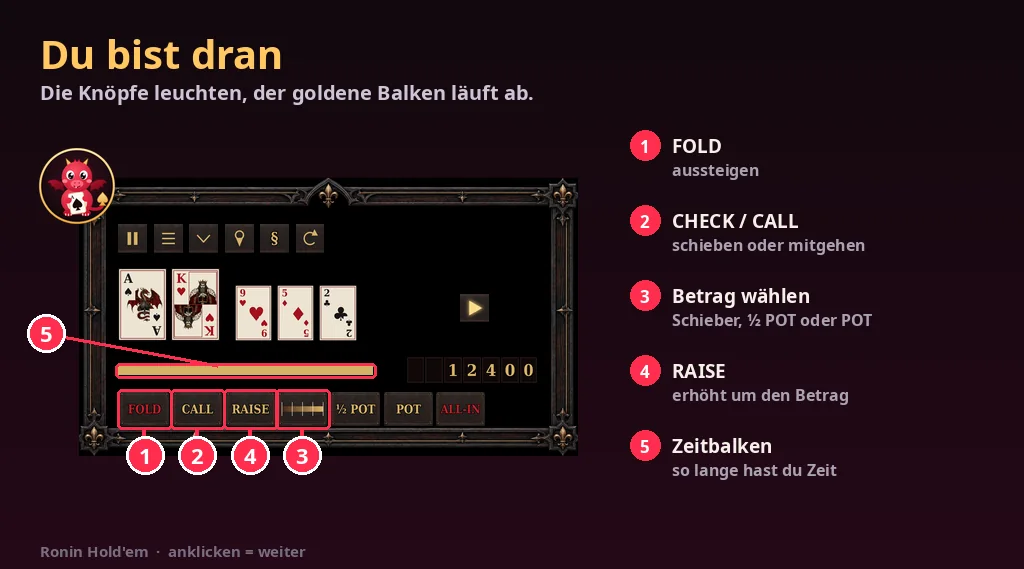
The HUD explained
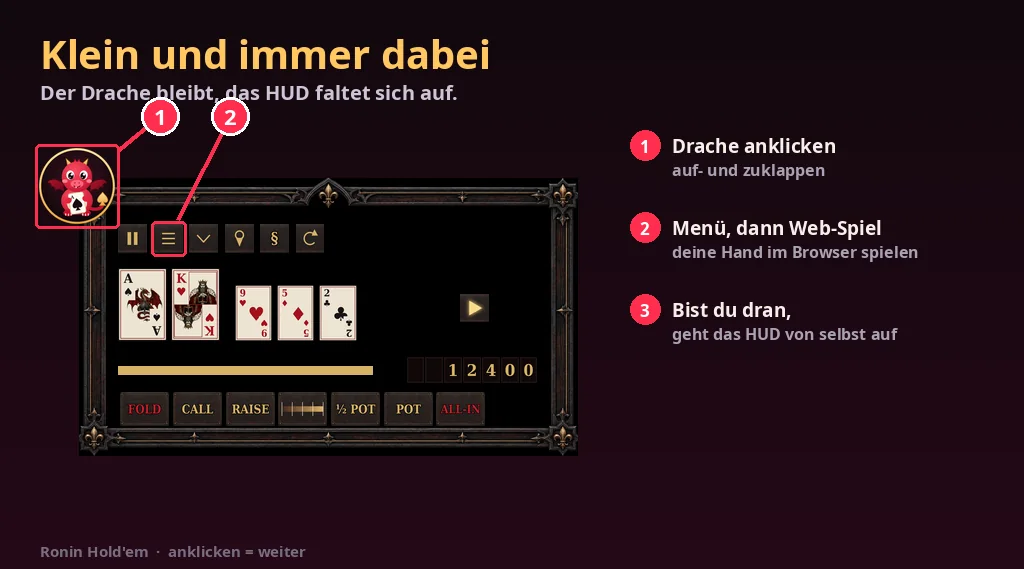
The HUD shows the same pictures the first time you wear it. Later: menu → “Help”.
Play in the browser
Play on web in the HUD
Click the menu (☰) in the HUD and choose “Play on web”. This works while you are at a Ronin table.
Table 2, seat 5 · Your chips: 2,400
Open the link
The link is valid for 5 minutes and only for you.
Play your hand in the browser too (link valid 5 minutes, only for you).
Choose name and password
Create it once, afterwards just log in under Play in the browser – on your phone too. Your avatar has to stay at the table in SL.
Let's go
Set up a free table
Rez the set
The free table set costs nothing. Rez the server and click it: it pairs itself and rezzes the table.
Get web access
Click the server again and choose “Web-Zugang”.
Ronin Hold'em
Code from chat
Only you can see the code. The sign-up page opens right away.
Sign up
Enter code, name and password – done. Forgot your password? Just get a new code.
Create account
Show it on the website
In the administration, name the table and tick “show on the website”. Then it is listed under free tables – with a teleport link.
Fair and verifiable
Every hand is checked
After every hand the watchdog recounts: chips, pots, no card twice, all cards from the stack fixed in advance. If anything is off, the game stops at once. You see the result above every live table.
Verify it yourself
Each hand's check value is fixed before it starts. After the tournament the hand history shows the stack and the secret: SHA-256 of them gives exactly that check value.
Collusion stands out
Tournament directors see who keeps folding the better hand to the same player or never raises against him – and can review every hand right after it ends. Nobody sees hidden cards during a hand – except during a supervision by Project Ronin, which is then shown at the table.
Host a tournament
Create a pairing code
In your administration (after the license from Project Ronin) create a code for the tournament server.
Pairing code (valid 15 minutes): 8KQ2M7TX
Pair the server
Rez the tournament server in SL, click it, enter the code.
Pairing code from the administration (poker.project-ronin.de):8KQ2M7TX
Create the tournament
Pick name, start, starting chips, level length and prize money. Players register in the HUD.
Create
Pay in the prizes and start
Pay the prize money into your prize box in SL. Then press “Start” at the tournament desk – the tables appear by themselves, the dealer is automatic.
Tournament desk · 23 registrations
Start